📋 XLS Financial Report Generation
This document explains how to configure and run Financial Reports processes that allow exporting detailed accounting data directly to XLSX files for advanced analysis or external customization.
Xlsx format financial reports are obtained by executing them through the menu of a ZK form that allows all of them to be available on a single screen.
- Menu:
Performance Analysis -> AMERPSOFT Financial Reports Xlsx -> Amfin Form Financial Reports for Xlsx
Available options:
- Account Elements catalog
- Trial Balance One Period
- State Financial Balance
- State Financial Integral Results
Main form, contains:
- Search Criteria / Parameters. Parameters. Clicking this header allows you to collapse or expand the parameter area.
- Main view. Space available for report deploy.
- Action Buttons.
- Reset. Action button used for clear an restore all parameters to initial Status.
- Process. Action button used for report generation.
- Download FILE. Action button to dowload Xlsx file when generated.
- Cancel. Action button used to exit Form.
Account Elements catalog
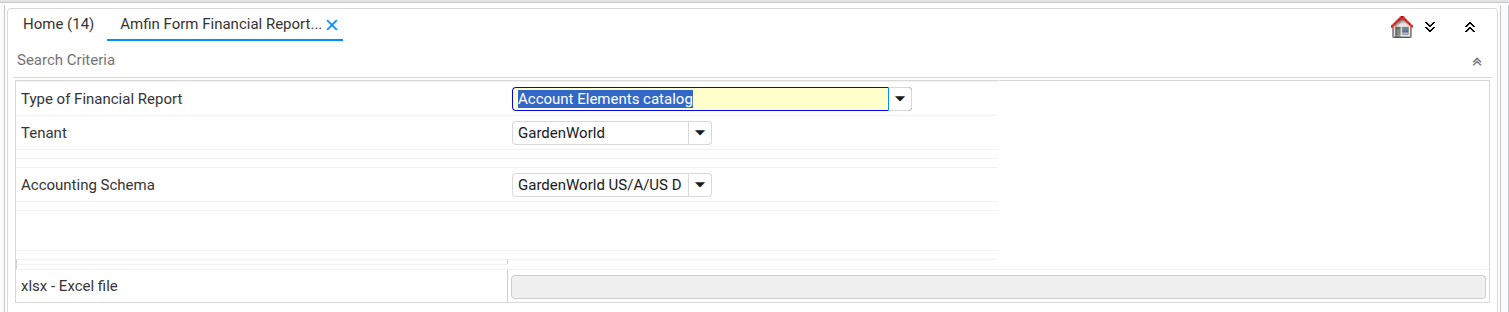
This report shows the accounting structure of your client in a tree-like format.
- Type of Financial Report:
Account Elements catalog - Input parameters:
| Parameter | Code / Column | Detailed Explanation |
|---|---|---|
| Client / Tenant | AD_Client_ID | This parameter is critical for data security and scope. It limits the report execution to data belonging exclusively to the selected company or group of companies. In a multi-tenant environment, this ensures that only the account elements relevant to the correct organization are processed. |
| Accounting Schema | C_AcctSchema_ID | This is the most crucial parameter for defining the report's structure. The Accounting Schema acts as a template, determining how an organization records its transactions. By selecting it, the report knows which: • Chart of Accounts (CoA) to use. • Accounting rules (e.g., accrual vs. cash basis). • Currency and specific elements (accounts, dimensions) must be included in the report. |
Sample parameters screen
Sample report

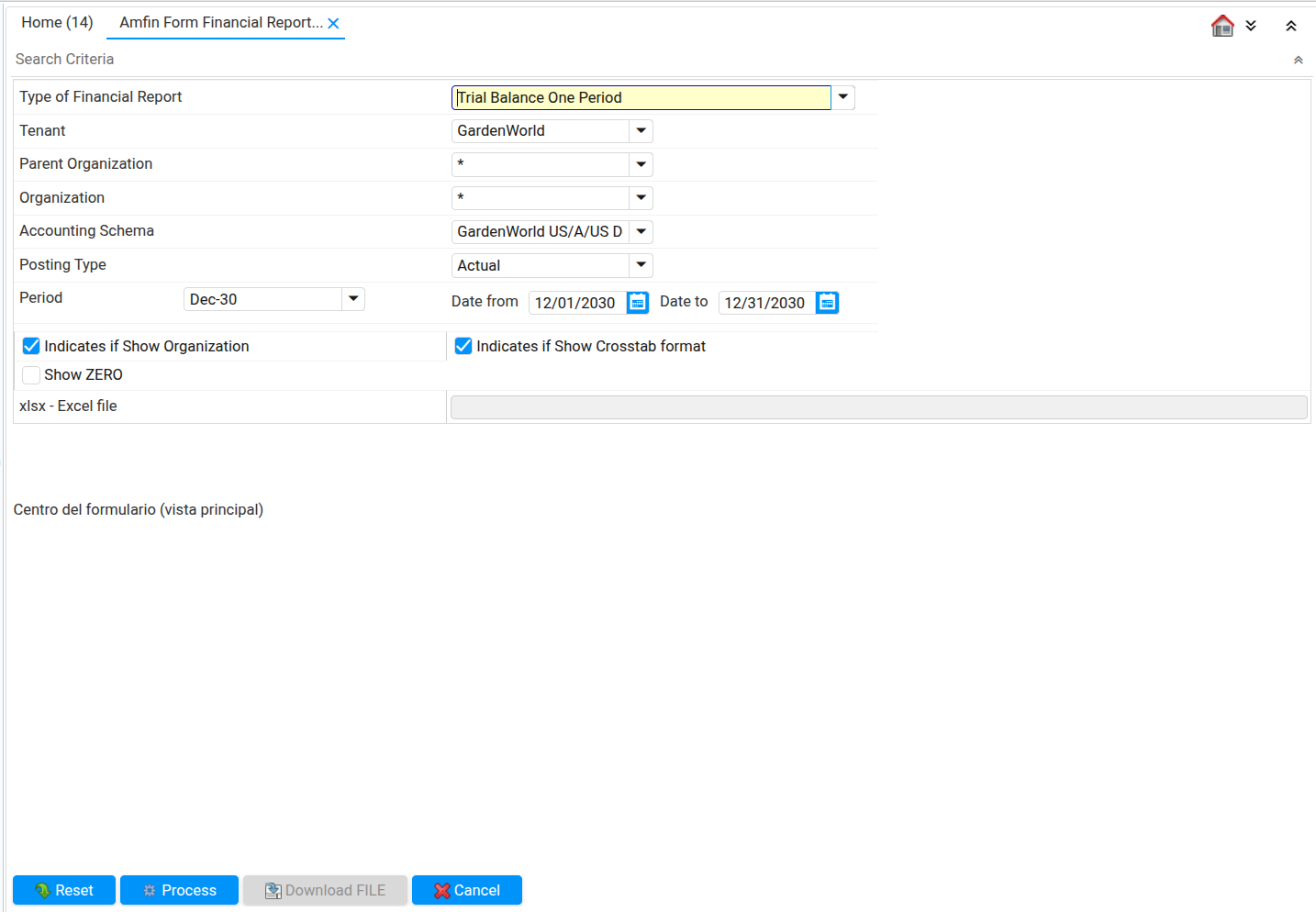
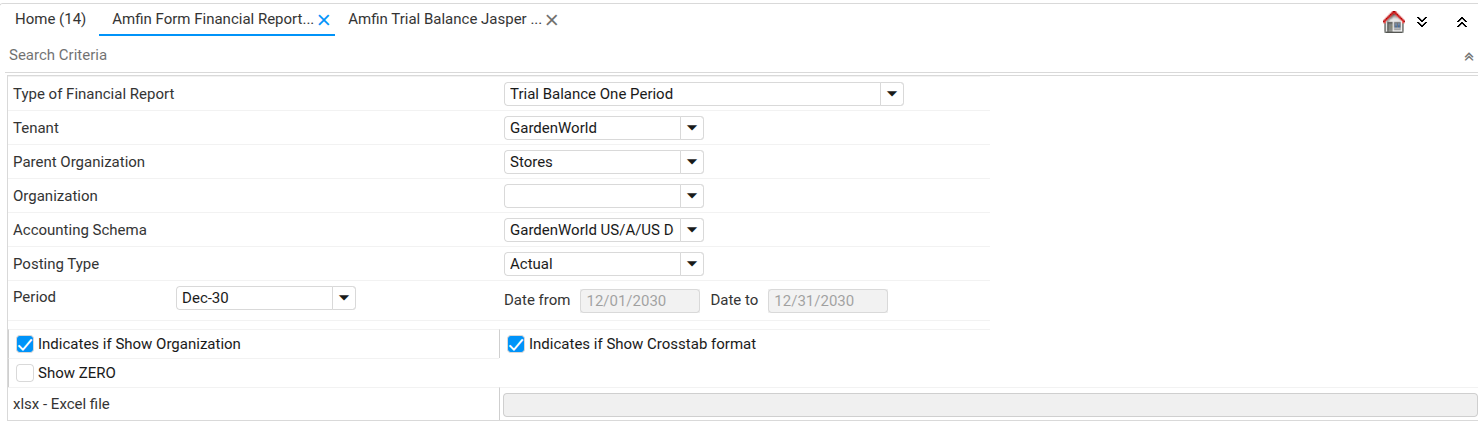
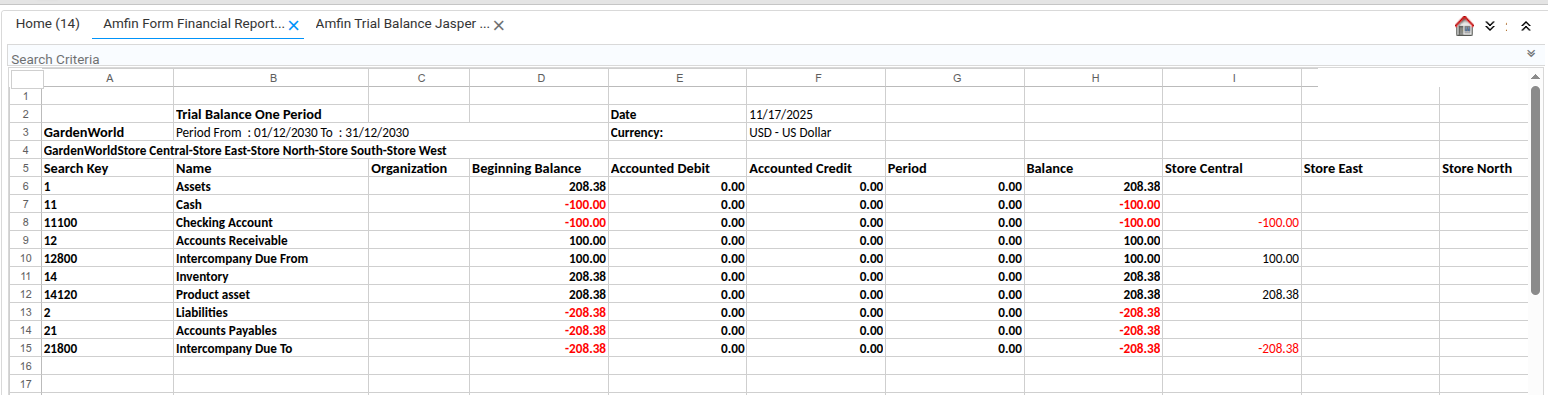
Trial Balance One Period
This report provides accounting information for a specific period, showing all real and nominal accounts.
- Parameters:
Type of Financial Report:Trial Balance One PeriodClient / Tenant (AD_Client_ID): Client ID. Refers to the company or group of companies configured in the system.Parent Organization: Parent Organization. The top-level organizational unit used to define the starting point for the organization tree filter.Organization: Organization. The specific organization within the client for which the trial balance is calculated.Accounting Schema (C_AcctSchema_ID): Accounting Schema ID. Defines the accounting framework, including accounts, currencies, and posting rules.Posting Type: Posting Type. Specifies the nature of the posted amounts (Actual, Budget, Commitment, etc.).Period (C_Period_ID): Period ID. The accounting period for which the trial balance is generated.Show Organization: Show Organization. Indicates whether to display the organization balances in the output.Show Crosstab: Show Crostab. Indicates whether to display the organization balanaces in crosstab columns.Show ZERO: Show ZERO. If enabled, the report will include accounts with zero balances.
Sample parameters screen
Sample report
Statement balance of financial position
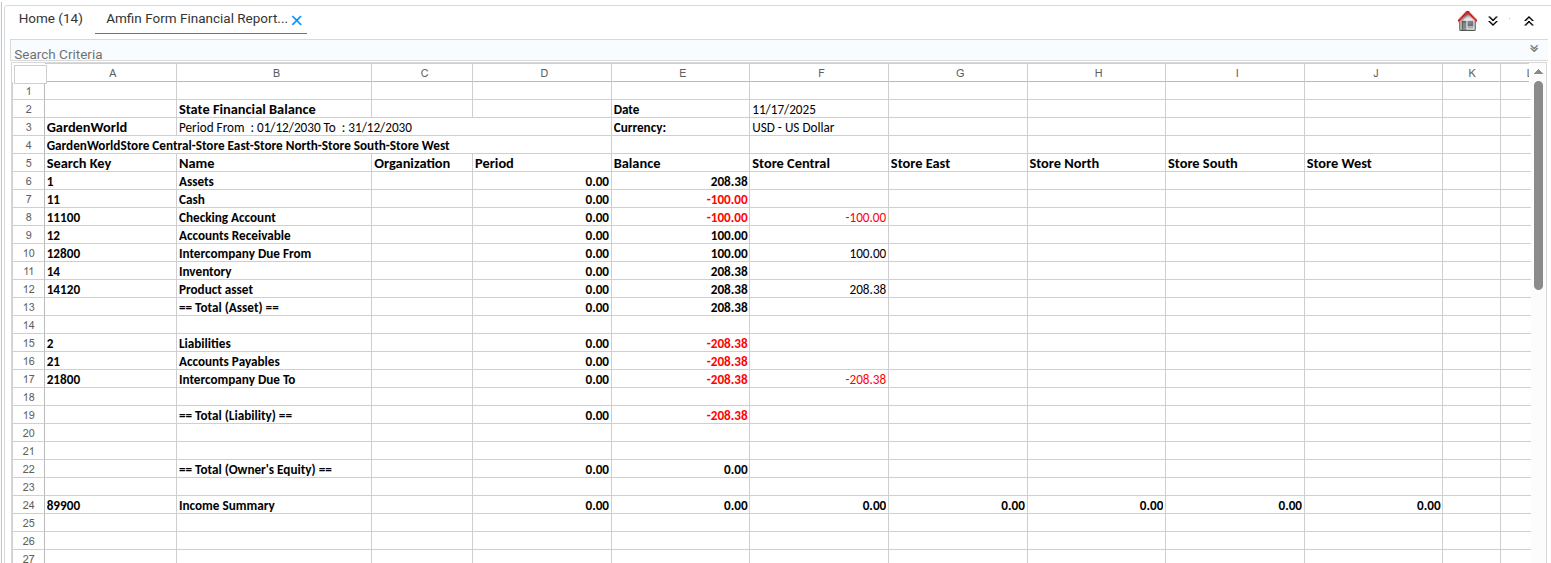
Previously known as the Balance Sheet, this report shows only the real accounts (Assets, Liabilities, and Equity) along with the accumulated result for the fiscal year.
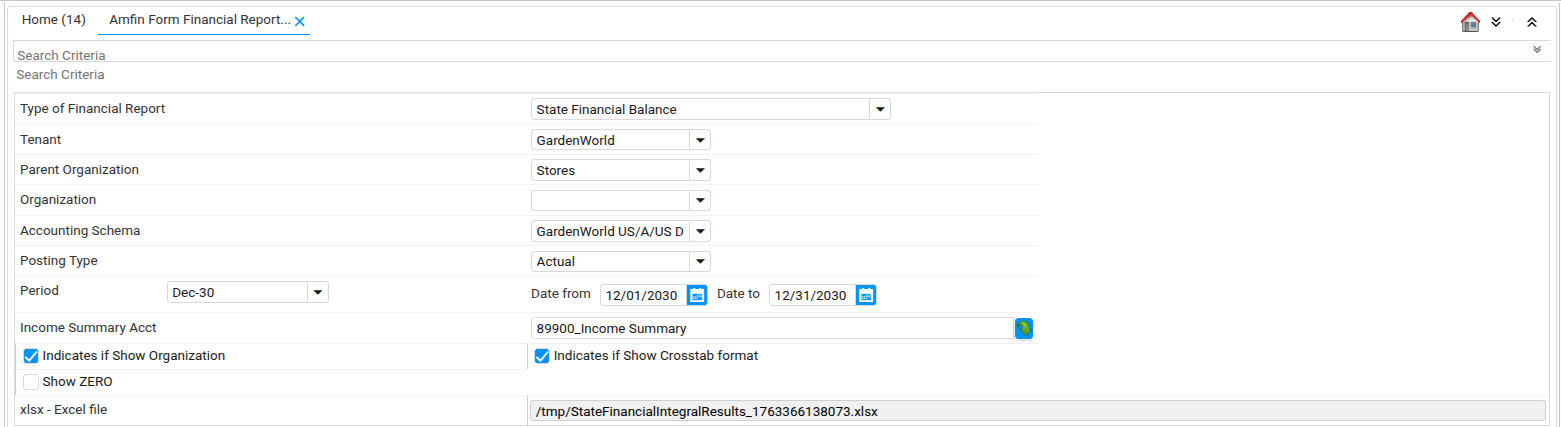
- Parameters:
Type of Financial Report:State Financial BalanceClient / Tenant (AD_Client_ID): Client ID. Refers to the company or group of companies configured in the system.Parent Organization: Parent Organization. The top-level organizational unit used to define the starting point for the organization tree filter.Organization: Organization. The specific organization within the client for which the trial balance is calculated.Accounting Schema (C_AcctSchema_ID): Accounting Schema ID. Defines the accounting framework, including accounts, currencies, and posting rules.Posting Type: Posting Type. Specifies the nature of the posted amounts (Actual, Budget, Commitment, etc.).Period (C_Period_ID): Period ID. The accounting period for which the trial balance is generated.Income Summary Account (C_ElementValue_ID): Income Summary Account ID. This is the account where the period's net Gain or Loss result is posted and displayed.Show Organization: Show Organization. Indicates whether to display the organization balances in the output.Show Crosstab: Show Crostab. Indicates whether to display the organization balanaces in crosstab columns.Show ZERO: Show ZERO. If enabled, the report will include accounts with zero balances.
Sample parameters screen
Sample report
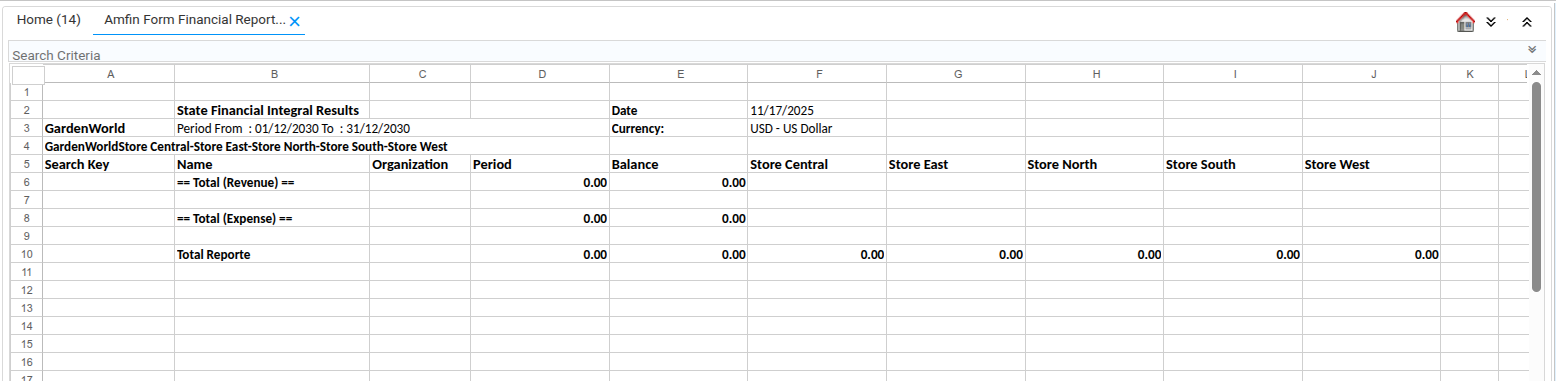
Statement balance of Integral Results
Formerly known as the Profit and Loss Statement, this report shows the nominal accounts (Income, expenses, and others) and the accumulated result for the fiscal year.
- Parameters:
Type of Financial Report:State Financial Integral ResultsClient / Tenant (AD_Client_ID): Client ID. Refers to the company or group of companies configured in the system.Parent Organization: Parent Organization. The top-level organizational unit used to define the starting point for the organization tree filter.Organization: Organization. The specific organization within the client for which the trial balance is calculated.Accounting Schema (C_AcctSchema_ID): Accounting Schema ID. Defines the accounting framework, including accounts, currencies, and posting rules.Posting Type: Posting Type. Specifies the nature of the posted amounts (Actual, Budget, Commitment, etc.).Period (C_Period_ID): Period ID. The accounting period for which the trial balance is generated.Show Organization: Show Organization. Indicates whether to display the organization balances in the output.Show Crosstab: Show Crostab. Indicates whether to display the organization balanaces in crosstab columns.Show ZERO: Show ZERO. If enabled, the report will include accounts with zero balances.
Sample parameters screen

Sample report